
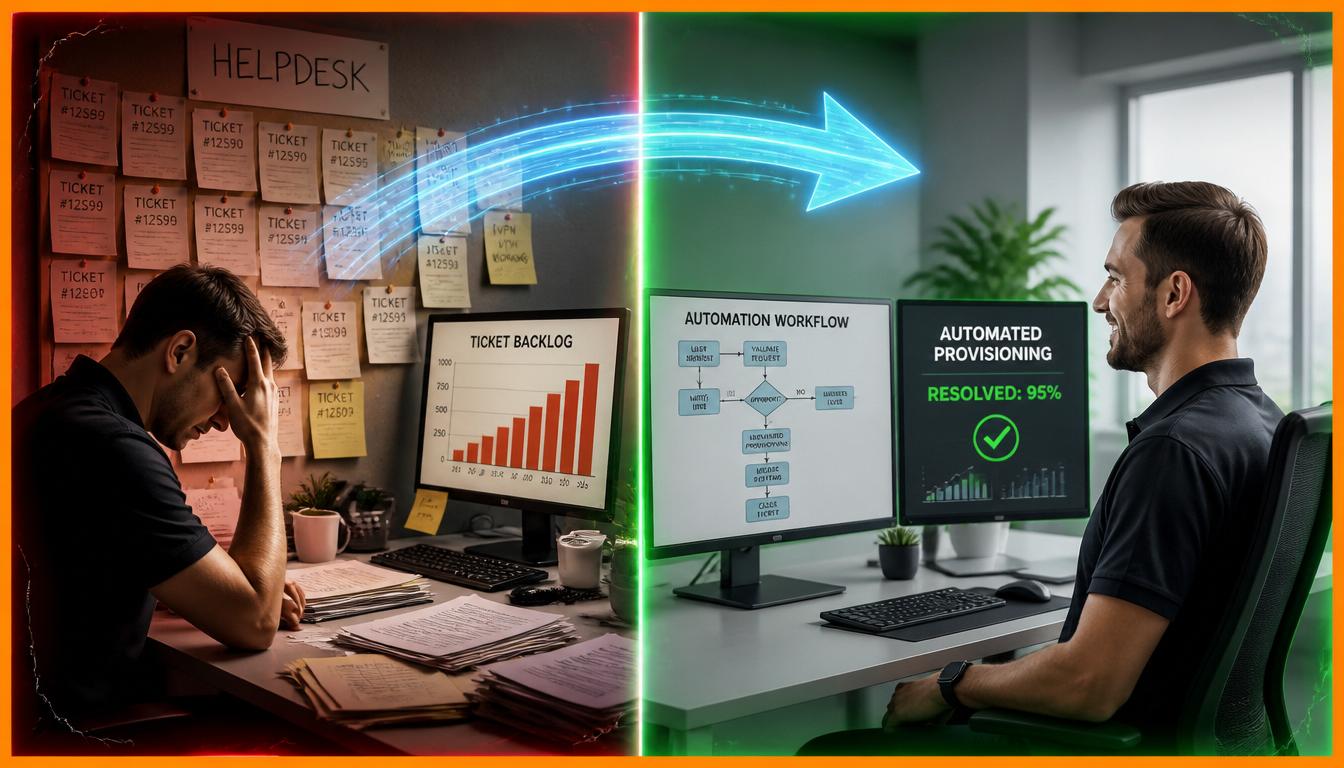
The modern corporate IT landscape is expanding rapidly. As remote work structures, complex cloud infrastructures, and SaaS deployments scale up, internal IT support departments face an unprecedented volume of incoming service requests. Historically, tech support operated on a purely defensive model. Technicians manually reviewed incoming queues, gathered baseline troubleshooting data, and fixed simple configuration errors one user at a time.
This manual operational model is breaking down. When high-volume corporate systems experience minor friction points, a surge of routine password resets, software procurement requests, and hardware access inquiries quickly floods the queue. This sudden operational load leads to high ticket backlog rates, longer response delays, and severe employee burnout.
To ensure continuous technical stability, modern enterprise leaders must shift from a traditional manual triage framework to an automated delivery model. Incorporating smart automation inside your IT service management framework directly addresses these common operational bottlenecks. It allows internal support engineers to stop chasing minor alerts and focus entirely on core architectural scalability.
The True Cost of Manual Technical Support
Treating basic tech support tasks as manual human responsibilities creates a significant, hidden drain on corporate resources. When an employee encounters a technical barrier, such as an expired password or a locked network account, their productive output drops to zero.
Under an old-school helpdesk model, that employee logs a ticket and enters a waiting pattern. A Tier-1 helpdesk agent must manually pick up the ticket, verify the employee’s security credentials, launch an administrative tool, change the password, and notify the user.
This approach creates severe operational friction. While the technician spends five to ten minutes resolving a basic request, higher-priority operational risks remain completely unattended. Security alerts, network outages, and server optimization needs get pushed down the queue.
Furthermore, relying on manual data entry to route tickets introduces human error. Misclassified support requests get bounced between different internal infrastructure groups, causing resolution delays to spiral from minutes into days. This administrative delay directly hurts internal workforce efficiency.
The Core Pillars of Helpdesk Automation
True operational efficiency is achieved by deploying a structured, layered automation strategy that resolves low-risk issues before they ever require a human eyes-on review.
1. Intelligent Self-Service and Conversational AI
The first line of defense in a modern support system is an interactive, AI-driven self-service portal. Instead of navigating a confusing drop-down menu to log an incident, employees can describe their issues in plain language to an internal communication bot.
The automation layer cross-references this natural language text against an internal knowledge base to instantly deliver precise troubleshooting documentation. If the system detects a standard request, like a software access request, it handles the validation and provisioning automatically without human intervention.
2. Automated Triage, Classification, and Routing
When complex issues require manual engineering oversight, automation eliminates manual dispatch delays. Machine learning algorithms analyze incoming ticket descriptions, compare them to historical performance data, and instantly determine the proper escalation path.
The system evaluates the context of the incident to assign an accurate priority level. A major server interruption immediately gets assigned a critical status and is routed directly to the infrastructure reliability engineering team. Meanwhile, standard software issues are assigned to local device technicians, preventing queue blockages.
3. Identity and Access Provisioning Workflows
Employee onboarding and offboarding procedures represent a massive time investment for technical support departments. Manual provisioning requires administrators to build directory profiles, allocate license bundles, and set specific folder permissions.
Modern systems use automated connectors that tie directly into central human resource databases. When an HR platform marks an employee profile as active, the automation tool configures their digital workspace, adds them to corporate messaging groups, and applies security policies in real time.
Simple Habits to Build an Automated IT Culture
Transitioning from operational disorganization to an automated support model requires establishing consistent, metric-driven internal routines.
- Perform Weekly Log Audits systematically: Spend 30 minutes every Friday morning reviewing your top ten highest-volume ticket subcategories. Identify repetitive, low-complexity requests that consistently consume your team’s time. Target these specific areas first for automated script creation.
- Enforce a Rigid Knowledge Management System: Ensure your senior engineering team updates internal technical repositories the moment a novel solution is validated. A well-maintained knowledge base provides the necessary data for your automation tools to successfully resolve issues on the first attempt.
- Monitor First-Contact Resolution Metrics monthly: Measure the percentage of service incidents resolved entirely by automated workflows by the fifth day of every month. Tracking this data helps you optimize self-service tools and identify broken script paths early.
The Strategic Value of Professional Oversight
Deploying modern automation platforms makes daily workflows significantly easier, but software tools alone cannot replace professional systems architectural design. Achieving true operational efficiency requires combining automated software tools with professional system management.
Attempting to build, integrate, and maintain complex enterprise automation scripts completely on your own can lead to operational issues. Small misconfigurations in an automated script can accidentally revoke database access or trigger large loops of false security alerts, creating widespread system downtime.
[Internal Script Creation] ──► Misconfigured Code ──► False Security Outages
[Professional Architecture] ──► Stable System Sync ──► Sustainable Enterprise Scaling
Professional enterprise systems engineers ensure your helpdesk automation tools match industry compliance frameworks, data privacy rules, and robust network access controls. They configure deep API connections between your service management systems, identity registries, and monitoring tools to maintain structural balance.
This structured management completely alters your corporate technical footprint. Instead of spending capital on simple data-entry tasks, you gain a scalable technical infrastructure. Accurate, structured support data allows leadership to view clear analytics, identify hardware failure cycles, and optimize software spending across your entire corporate footprint.
Helpdesk Automation Implementation Guide
To shift your internal operations from manual ticketing to proactive, automated resolution, implement these four structured milestones:
| Step | Strategic Action Item | Operational Frequency | Target Milestone |
| 1 | Audit ticket data to find repetitive tasks. | Weekly | Isolate top automation targets. |
| 2 | Update external knowledge bases for users. | Continuous | Drive high self-service resolution. |
| 3 | Deploy automated routing based on classification. | One-Time Setup | Eradicate manual dispatch backlogs. |
| 4 | Outsource orchestration to senior architects. | Continuous | Ensure absolute security compliance. |
An automated IT support ecosystem is much more than a modern convenience or a basic cost-cutting initiative. It is a fundamental operational requirement for scaling a sustainable corporate infrastructure. By eliminating manual support processes, you protect valuable engineering hours, minimize operational downtime, and create a resilient workplace framework. Take control of your internal systems today to ensure your enterprise scales with the utmost stability and long-term operational performance.